
Technology
What Is Fonvira? A Simple Guide to Its Color Picker and Converter

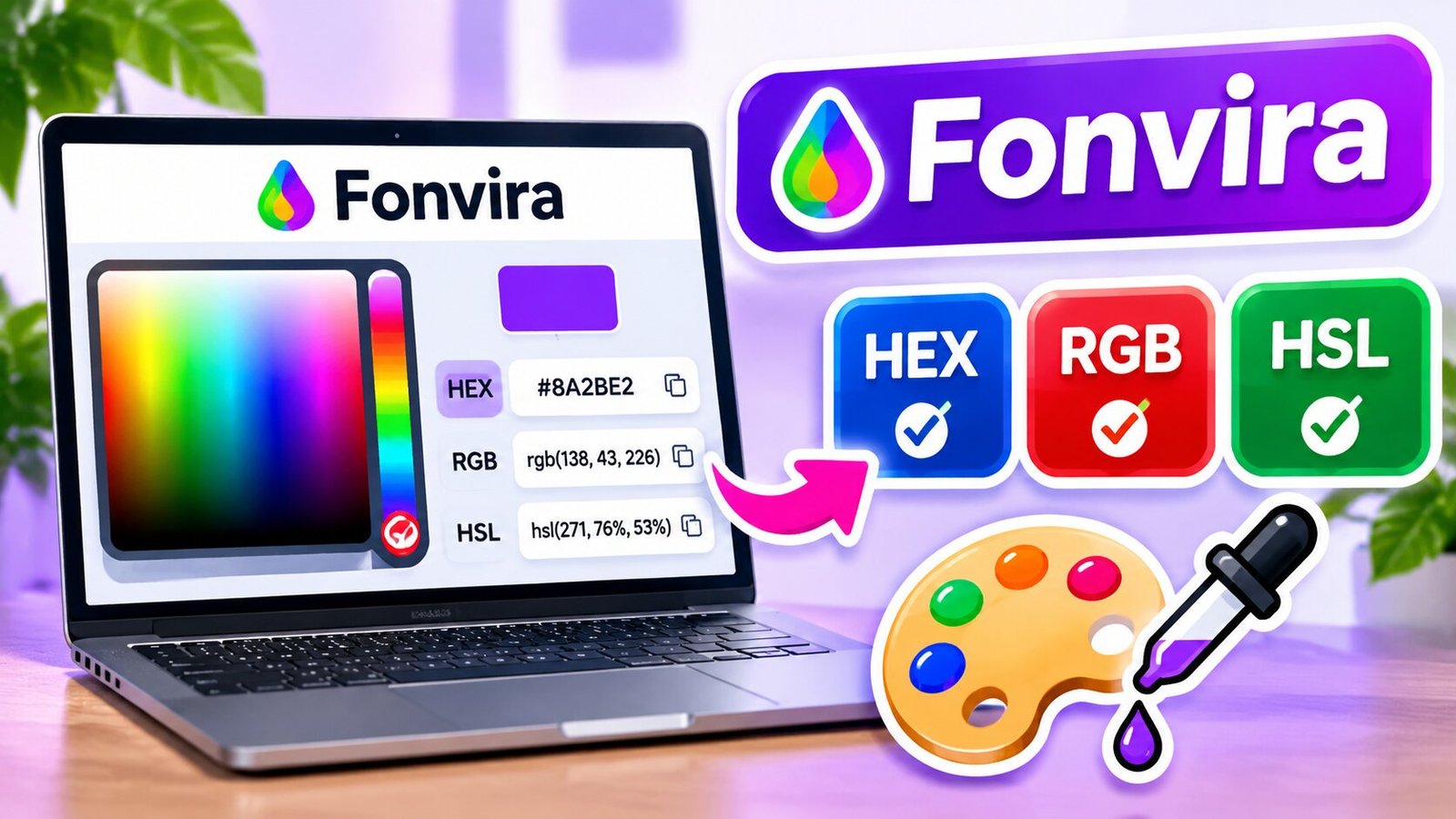
Choosing the right colors is an important part of website design, graphic design, and digital artwork. However, finding the exact color code can sometimes take extra time. Fonvira makes this task easier by providing a simple online color picker and converter. It allows users to select colors and instantly view their matching HEX, RGB, and HSL values.
Fonvira is a free browser-based tool designed for web developers, graphic designers, students, and digital artists. It does not require an account, software installation, or paid subscription for its main features. Users can open the tool, choose a color, copy its code, and use it in their creative projects. Pick the perfect color+1
What Is Fonvira?
Fonvira is a free online color picker and converter. It helps users find colors and change them into different digital color formats. Instead of using separate tools for each format, users can get HEX, RGB, and HSL values in one place.
The tool has a simple design. Users can select a color through the color picker or enter an existing HEX code. Fonvira then displays the matching values and provides a live color preview.
This makes it useful for people who work with websites, apps, logos, banners, and digital artwork. For example, a web designer can choose a blue shade and copy its HEX code for a website button.
Fonvira focuses on one main task: making color selection and conversion quick and easy. It does not try to replace large design programs or advanced photo editors.
How Does Fonvira Work?
Fonvira works directly in a web browser. You do not need to download a program or create an account to use its main color tools.
The process is simple. First, you choose a color or enter its HEX value. The tool then shows the matching RGB and HSL values.
A live preview helps you see the selected shade before using it. You can also copy the color value you need with the available copy controls.
The main steps are:
- Open the Fonvira website in your browser.
- Find the color picker on the page.
- Select a color or enter a HEX code.
- Check the live color preview.
- Review the HEX, RGB, and HSL values.
- Copy the format you need.
- Paste the copied value into your design or code.
The tool updates the color information as you make changes. This saves time because you do not need to calculate each format yourself. Pick the perfect color+1
Main Features of Fonvira
Fonvira offers a small set of useful features. Each one helps users complete common color tasks without extra steps.
Free Color Picker
The color picker lets users select a shade visually. This is helpful when you do not know the exact color code but have an idea of the color you want.
You can explore different shades and find one that suits your project. It is useful for choosing website backgrounds, buttons, text colors, and other design elements.
Instant Color Conversion
Fonvira can display the HEX, RGB, and HSL values of a selected color. The results appear without making users wait for a separate conversion process.
This feature is useful when moving between design tools and coding work. You can get the format you need without doing the calculations by hand.
Live Color Preview
The live preview shows the selected color on the screen. It helps you check the shade before copying its value.
For example, you can test different shades of green and choose the one that looks best for your website or graphic.
One-Click Copy Options
The copy controls make it easier to take color values into other programs.
You can copy a HEX, RGB, or HSL value and paste it into a compatible design tool, code editor, or stylesheet.
This simple feature can save time when working with several colors.
No Account Required
Fonvira does not require users to register before using its main color features.
You can open the website and start working with colors. There is no need to create a profile or remember another password.
Browser-Based Access
The tool works through a web browser. You do not need to install a large design program on your computer.
This makes it convenient for people who use different devices or want a quick tool for small design tasks. Pick the perfect color+1
Understanding HEX, RGB, and HSL Color Formats
Before using Fonvira, it helps to understand its three main color formats. They all describe colors, but each uses a different system.
What Is a HEX Color Code?
HEX is a common color format used in website design and CSS. It uses a combination of six letters and numbers that begin with a hash symbol.
For example, #2563EB represents a shade of blue.
Each pair of characters controls the amount of red, green, or blue in the color. HEX codes are popular because they are short and easy to copy into website stylesheets.
What Is RGB?
RGB stands for Red, Green, and Blue. It creates colors by combining different amounts of these three basic colors.
Each value usually ranges from 0 to 255.
For example:
rgb(37, 99, 235)
This code represents a blue shade. RGB is useful in web development, digital graphics, and other projects that work with color values.
What Is HSL?
HSL stands for Hue, Saturation, and Lightness.
- Hue: Describes the main color, such as red, blue, or green.
- Saturation: Shows how strong or soft the color looks.
- Lightness: Controls how light or dark the color appears.
For example:
hsl(222, 83%, 53%)
HSL is helpful when you want to adjust a color without changing its basic appearance. You can make it lighter, darker, or less bright by changing its values.
All three formats can describe the same color. Fonvira makes it easier to switch between them. Pick the perfect color+1
How to Use Fonvira for Website Design
Website designers often need exact color codes for different parts of a page. Fonvira can help them find and reuse these colors.
Start by choosing a main color for your website. It could be blue, green, red, or another shade that matches your brand.
Next, check the HEX value and copy it. You can use this code in your website’s CSS to style buttons, headings, backgrounds, and other elements.
You can also use RGB or HSL when your development project needs those formats.
Using the same color codes across your website can help create a clean and consistent look.
How Fonvira Helps Graphic Designers and Digital Artists
Graphic designers and digital artists often work with many colors. They need the right shades for logos, banners, social media posts, and other creative projects.
Fonvira can make basic color tasks easier.
For example, a designer may need a specific shade of purple for a social media banner. They can select the shade, view its HEX, RGB, and HSL values, and copy the format needed for their project.
Digital artists can also use the tool to explore different colors before adding them to their artwork.
It can be useful for:
- Creating color combinations for digital artwork.
- Finding exact shades for logos.
- Choosing background and text colors.
- Matching colors across different design projects.
- Keeping brand colors consistent.
- Converting color codes for different software.
However, Fonvira is not a complete graphic design program. You will still need other software for drawing, image editing, and creating full designs.
Who Should Use Fonvira?
Fonvira is designed for anyone who needs a simple way to select and convert digital colors.
Web Developers: Developers can use the tool to find HEX, RGB, and HSL values for websites and applications.
Graphic Designers: Designers can use it to select shades for logos, banners, and digital artwork.
Digital Artists: Artists can explore colors and collect exact values for their creative work.
Students: Students learning web design, CSS, or digital graphics can use it to understand different color formats.
Content Creators: Bloggers and social media creators can use it to find matching colors for posts, thumbnails, and other visual content.
Small Business Owners: Business owners can use it to record brand colors and keep their websites and online materials consistent.
Its simple interface makes it useful for beginners as well as people with design experience.
Is Fonvira Free and Safe to Use?
Fonvira describes its main color picker and conversion features as free. It does not require a paid plan, account registration, or software download.
The website also states that color processing takes place inside the browser. According to its privacy information, the color values users enter are not sent to or stored on its servers. Pick the perfect color+1
This is useful for people who want a simple tool without sharing their color selections through an account.
However, users should still follow normal online safety practices. Visit the correct website, avoid suspicious pop-ups, and do not enter personal information into unknown forms.
Also, browser-based processing does not mean that a website makes no network connections at all. Supporting services, such as website hosting and fonts, may still involve outside providers.
Advantages and Limitations of Fonvira
Fonvira offers several benefits, but it is important to understand what the tool can and cannot do.
| Advantages | Limitations |
|---|---|
| Free to use | Not a complete design program |
| No account required | Supports a focused set of color formats |
| No large software download | Does not replace advanced image editing |
| Instant color conversion | Does not guarantee accessible color choices |
| Live color preview | Screen colors may look different on other devices |
| Simple interface | Requires a browser and internet access to open the website |
The biggest advantage is its simple approach. Users can find a color and copy its value without learning a complicated design program.
Its main limitation is its narrow purpose. People who need advanced editing, large color libraries, or team design features may need additional software.
Tips for Getting Better Results With Fonvira
Using a color picker is easy, but choosing the right colors takes some thought. A few simple tips can help you get better results.
Keep Your Color Palette Simple
Try using one main color, one or two accent colors, and a few neutral shades. Too many colors can make a website or graphic look messy.
Save Your Important HEX Codes
If you work with a brand or website, keep a record of its main color codes. This helps you use the same shades across different pages and designs.
Use HSL to Adjust Shades
HSL makes it easier to create lighter and darker versions of a color. You can change the lightness value while keeping the main hue similar.
Check Text Readability
A color may look attractive but still make text hard to read. Always check the contrast between text and its background.
For normal-sized text, the WCAG accessibility guidelines recommend a contrast ratio of at least 4.5:1. Large text needs at least 3:1 for the usual AA level.
Test Colors on Different Screens
A color can look slightly different on different phones, laptops, and monitors. Check your final design on more than one device when possible.
These steps can help you create designs that look good and remain easy to use. Pick the perfect color+1
Final Thoughts
Fonvira is a useful online tool for anyone who works with digital colors. It makes color selection and conversion easier by providing HEX, RGB, and HSL values in one simple browser-based interface.
Its free access, live preview, and copy options can save time for web developers, graphic designers, students, and digital artists. You can use it to find colors, collect exact codes, and maintain a consistent look across your projects.
Although it does not replace professional design software or accessibility testing, Fonvira is a practical choice for everyday color tasks. Its simple process makes it easy for beginners and experienced users to get started.
FAQs
1. What is Fonvira used for?
Fonvira is an online color picker and converter that helps users select colors and find their HEX, RGB, and HSL values.
2. Is Fonvira free to use?
Yes, Fonvira offers its main color selection and conversion features for free without requiring an account or paid subscription.
3. Does Fonvira require a download?
No, Fonvira works directly in a web browser, so users do not need to install separate software.
4. Can beginners use Fonvira?
Yes, its simple interface makes it easy for beginners to select colors, view their values, and copy codes for their projects.
5. Does Fonvira support HEX, RGB, and HSL?
Yes, Fonvira displays all three formats for a selected color, allowing users to copy the one they need for their design or development work.
NEXT: BoyEnd Clothing: Modern Streetwear and Premium Fashion for Boys

Long web links can be hard to read, copy, and share. They often contain random letters, numbers, and tracking codes. Urlwo is described as a link management tool that aims to make long URLs shorter, cleaner, and easier to use.
Urlwo also focuses on branded links, click tracking, and campaign reports. These tools can help businesses, creators, and marketing teams manage the links they share. This guide explains how Urlwo works, its possible benefits, and the best ways to use short links safely.
What Is Urlwo?
Urlwo is described as a web link tool that turns long URLs into short links. Users can share these links in emails, social media posts, ads, and printed materials.
A short link sends visitors to the original web page. This process is called a redirect. The visitor can reach the same content without typing or copying a long URL.
Urlwo is also presented as a way to manage links in one place. Features such as branded links and click reports may help users keep their campaigns organized. The exact features available should be checked with the service.
Why Are Short Links Important?
Long URLs can look messy. Some include many folders, codes, and symbols. This can make them hard to read, mainly on small screens.
Short links are easier to share. They take up less space in posts, messages, and printed ads. A clear link name can also help people understand where it may lead.
Urlwo aims to make link sharing simple. A clean link can improve the look of a message while still taking visitors to the right page.
How Does Urlwo Work?
The basic process is simple. A user copies a long web address and enters it into a link-shortening tool. The tool creates a shorter address that points to the same page.
For example, a long product link may contain many tracking codes. A short version could use a simple name such as “summer-sale.” This makes it easier to share and remember.
When someone clicks the short link, the system sends them to the original page. Some link tools also record click data during this step. Urlwo is described as offering this type of link tracking.
Urlwo Branded Links
A branded link uses a business name or custom web domain. It can help people see which brand is sharing the link.
For example, a shop could use a link such as brand.example/new-shoes. The name is clear and easy to read. It also looks more useful than a random set of letters.
Branded links can help keep a business’s online messages consistent. The same domain can appear in emails, social posts, and ads. However, a branded link does not guarantee that the page is safe.
Urlwo Click Tracking and Reports
Click tracking helps users see how often people open a link. It can also show which campaigns bring visitors to a website.
Urlwo is described as a tool that may provide data such as click totals, dates, devices, countries, and traffic sources. The amount of data depends on the features offered and the way tracking is set up.
These reports can help users make better choices. A shop may find that email brings more visits than social media. A creator may learn which post gets the most clicks. Still, clicks alone do not show sales or other final results.
How Urlwo Helps Marketing Teams
Marketing teams often share links on many platforms. They may use email, social media, paid ads, and printed flyers for the same campaign.
Urlwo can help by giving each channel its own short link. All links may lead to the same page, but each can have a separate click count.
This makes reports easier to read. A team can compare visits from different sources and see which channel performs better. It can then use that data to plan future campaigns.
Can Urlwo Help With SEO?
Urlwo may support search engine optimization work by making campaign links easier to manage. However, using a short link does not directly improve search rankings.
Search engines look at many factors when ranking pages. Useful content, site structure, page speed, and relevant links matter more than the length of a shared URL.
Redirects also need to work correctly. A short link should send visitors and search engines to the right page. For this reason, Urlwo is better viewed as a link management tool than a direct SEO ranking tool.
Urlwo for Social Media and Content Creators
Social media creators often share product pages, videos, blogs, and event links. Long URLs can take up space and make captions harder to read.
Short links can help keep posts neat. A creator may use them in a profile bio, video description, email, or social media caption.
Click reports may also show which content brings more visits. This can help creators understand their audience and plan future posts. The data is most useful when each link has a clear purpose.
Urlwo for Small Businesses
Small businesses often need simple ways to share products and services. A short link can point customers to a product page, booking form, menu, or special offer.
Urlwo may help business owners keep these links in one place. Clear names can make it easier to find the right link when a new post or ad is needed.
Tracking can also help a business compare campaigns. For example, a shop may use different links for an email offer and a printed flyer. The results can show which one brought more clicks.
Urlwo Workflow and Team Management
Large teams may create many links each month. Without clear rules, link names can become hard to manage. Staff may also create the same link more than once.
A shared link management system can help reduce these problems. Teams can use naming rules, folders, and campaign labels to keep their work in order.
Urlwo is described as a possible tool for this kind of work. Features such as team roles, app connections, and automated reports would need to be confirmed before use.
Is Urlwo Safe to Use?
Short links can be useful, but they also carry risks. A short URL may hide the final website address. Scammers sometimes use this method to send people to fake or harmful pages.
Users should check links before opening them. Businesses should use secure websites, strong passwords, and trusted domains. They should also test links before sharing them with customers.
Urlwo users should make sure each short link leads to the page promised in the message. Clear names and honest redirects can help build trust. A short link should never be used to hide unsafe content.
Best Practices for Using Urlwo
Start with short and clear link names. Words such as “new-arrivals” or “event-tickets” are easier to understand than random codes.
Use separate links for different campaigns when you need to compare clicks. Keep a record of each link, its target page, and its purpose. This can help prevent errors.
Always test links before sharing them. Check them again when a website changes or an offer ends. A short link is only useful when it sends visitors to the correct page.
Who Should Use Urlwo?
Urlwo may be useful for people and teams that share links often. This includes small businesses, online shops, content creators, and marketing agencies.
Schools, charities, event planners, and service providers may also benefit from clean links. They can use short URLs on posters, emails, forms, and event pages.
People who only need one short link may prefer a basic tool. Teams that manage many campaigns may need more features, such as reports, custom domains, and shared access.
Final Thoughts
Urlwo aims to make web links easier to shorten, share, and manage. Its described features include branded URLs, click tracking, and campaign reports. These tools can help users keep their online work organized.
The main benefit of short links is their simple design. They are easier to read and can make shared messages look cleaner. Tracking may also help teams understand where website visits come from.
Urlwo may be useful for businesses and creators who share links every day. Before choosing it, users should confirm its current features, pricing, privacy practices, and security options.
Writing good content takes time, research, and effort. Writers must find useful facts, plan headings, and make each paragraph easy to read. AI writing tools can help with these tasks. They can suggest ideas, create drafts, and improve sentences.
Fanquer has been described online as an AI writing tool that helps people create articles and organize content. However, its features, developer, and official service details have not been independently verified. This article explains the claims about Fanquer, how such a tool may work, and what writers should check before using it.
What Is Fanquer?
Fanquer is described as an AI-powered content writing tool. It is said to help writers create articles, improve text, and plan content for websites. Its main goal is to make writing easier and save time.
According to descriptions of the tool, users can enter a topic and explain what they want to write. The AI then creates a draft based on those details. Writers can review the text and make changes before publishing it.
Fanquer is also said to help with headings and article structure. These features have not been confirmed through independent testing. Writers should check whether the service is available and what it offers before relying on it.
How Does Fanquer Work?
Fanquer is said to use artificial intelligence to create text from user instructions. A writer starts by entering a topic, keywords, or a short description. The tool then uses that input to prepare content.
For example, a writer may want an article about saving money. They could enter the topic and ask for a simple guide. An AI writing tool may then suggest an introduction, headings, and paragraphs about the subject.
The quality of the result depends on the instructions and the AI system. Writers must still check facts, remove errors, and improve unclear sentences. Fanquer’s exact writing process has not been verified.
Main Features of Fanquer
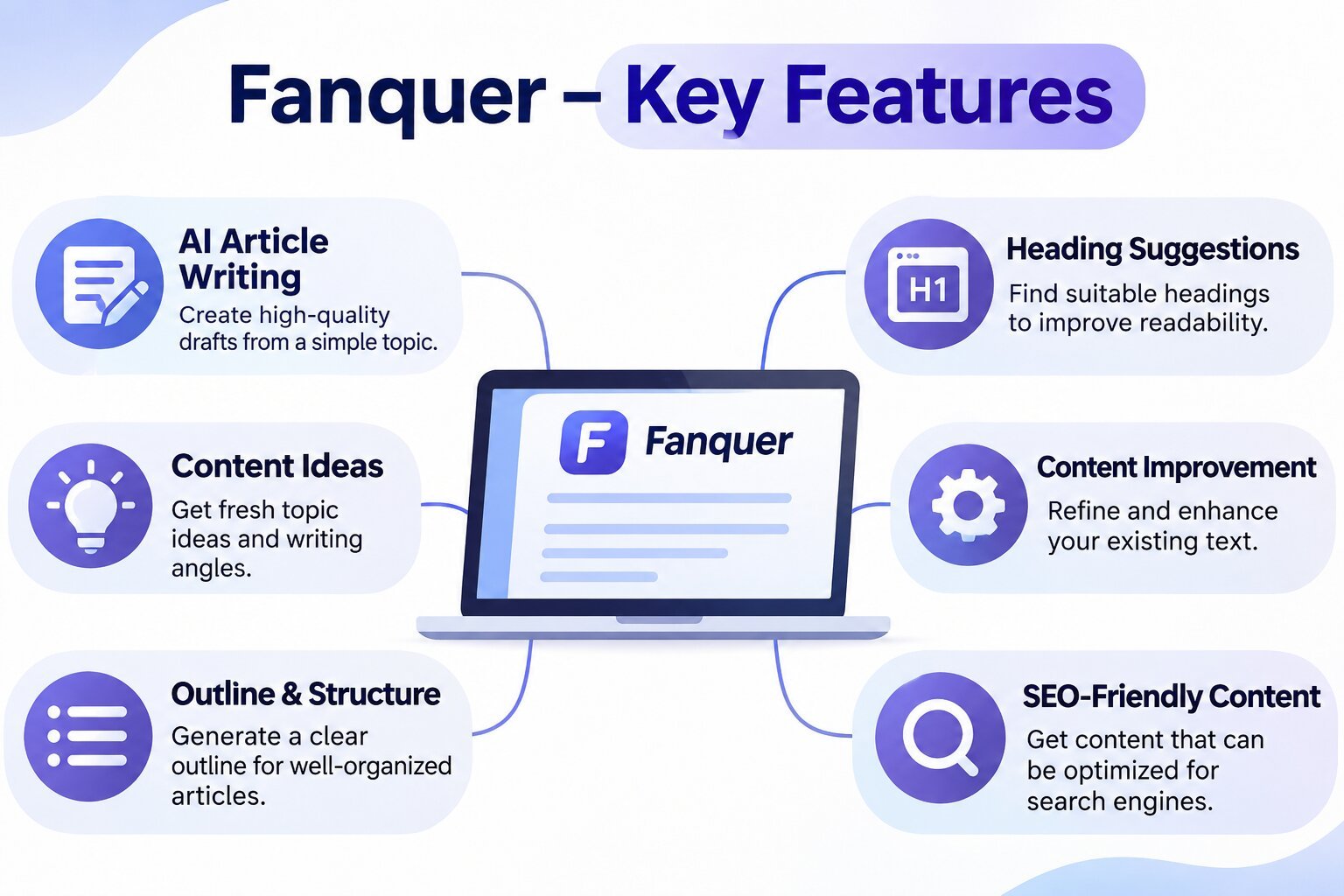
Descriptions of Fanquer mention several writing features. These include article creation, heading suggestions, and content editing. Each feature is meant to help with a different part of the writing process.
Article drafting is one of its reported functions. Instead of writing every sentence from the start, users may be able to create a first draft from a short prompt. This could help writers who need a starting point.
Fanquer is also said to offer ideas for headings and content structure. These features could help users organize long articles. However, there is no confirmed feature list, so these functions should be treated as reported rather than tested.
Fanquer for Blog Writing
Blog writers often need fresh ideas and clear article plans. They may write about travel, food, technology, business, or other subjects. Each topic needs a different writing style and level of detail.
Fanquer is promoted as a tool that may help with blog drafts. A writer could provide a topic and ask for an article plan. The suggested text could then be edited to match the website’s style.
AI-generated blog posts should not be published without review. Writers need to check names, dates, claims, and other facts. They should also add original research and useful examples where needed.
Can Fanquer Help With SEO Content?
Search engine optimization, or SEO, helps search engines understand a webpage. Writers often use clear headings, useful keywords, and well-organized content to make articles easier to find and read.
Fanquer is sometimes presented as a tool for creating SEO-friendly content. Its reported writing features may help users plan headings and place keywords in a natural way. Specific SEO functions have not been verified.
Good SEO needs more than AI-generated text. An article must answer the reader’s question, provide accurate facts, and offer real value. Using Fanquer or any other AI tool does not guarantee higher search rankings.
Fanquer for Content Ideas and Outlines
Finding a good topic can be hard, especially for writers who publish often. A clear outline can make the next step easier. It shows what the article should cover and how each section connects.
Fanquer is said to help users plan content before writing. For example, a user could request an outline for an article about healthy meals. An AI tool might suggest sections about ingredients, meal planning, and cooking tips.
Writers should review every suggested heading. Some topics may be too broad, while others may repeat the same idea. A good outline should focus on the reader’s needs and avoid sections that add little value.
Can Fanquer Improve Existing Articles?
Editing is an important part of writing. Even a strong first draft may have long sentences, repeated words, or unclear ideas. Fixing these issues can make an article easier to read.
Fanquer has been described as a tool that may help writers improve existing text. Its reported features include reviewing article structure and suggesting better headings. The extent of its editing abilities remains unconfirmed.
Writers should compare any revised text with the original. AI can sometimes change the meaning of a sentence or remove useful details. A final human review is important, especially for news, health, finance, and legal topics.
Benefits of Using Fanquer
The main reported benefit of Fanquer is faster content creation. Writers may be able to use AI suggestions instead of starting every article with a blank page. This can make the early writing stage easier.
Another possible benefit is content planning. Clear headings and a simple outline help writers stay focused. They also make long articles easier for readers to follow.
These are potential benefits of AI writing tools, not proven results from Fanquer. Actual performance would depend on the service, the user’s instructions, and the amount of editing needed.
Limitations of Fanquer
One major concern is the lack of verified information about Fanquer. Its official website, developer, pricing, and technical features have not been established here. This makes it difficult to judge the tool’s reliability.
AI writing tools can also produce incorrect facts. They may repeat ideas, use vague words, or create text that sounds confident but lacks evidence. Writers should never assume that AI-generated information is correct.
Privacy is another point to consider. Before entering private drafts or business details, users should read the service’s privacy policy and data rules. Without clear terms, it is safer not to share sensitive content.
Is Fanquer Free or Paid?
There is no verified pricing information for Fanquer. It is unclear whether the tool offers free access, paid plans, trial accounts, or usage limits.
Many AI writing services use different payment plans. Some allow limited free use, while others charge monthly fees. This does not confirm that Fanquer follows the same model.
Users should look for an official pricing page before making a payment. They should also check cancellation rules, refund terms, and any limits on generated content.
Fanquer vs. Other AI Writing Tools
AI writing tools can offer different features. Some focus on blog posts, while others help with editing, marketing text, or content research. The best choice depends on the work a writer needs to complete.
Fanquer is described mainly as a writing and content planning tool. However, without verified product details or direct testing, it cannot be fairly ranked against established AI writing services.
Writers comparing tools should focus on accuracy, ease of use, editing options, pricing, and privacy. Testing the same writing task across several services can help show which one produces the most useful draft.
Who Might Benefit From Fanquer?
Fanquer may appeal to bloggers who need help with article ideas and first drafts. A tool with the reported features could reduce the time spent planning content.
Freelance writers and website owners may also find AI writing support useful. They often work with different topics and need to follow clear content plans. AI suggestions can provide a starting point for that work.
Students and new writers should use such tools with care. AI can help explain writing structure, but it should not replace learning, research, or original work. Whether Fanquer is suitable for these users depends on its actual features.
Is Fanquer Safe and Reliable?
Fanquer’s safety and reliability cannot be confirmed without checking its official service and policies. There is not enough verified information here to make a clear judgment.
Before using any unfamiliar AI service, check who operates it, what information it collects, and whether it explains how user data is handled. Avoid sharing passwords, private documents, or payment details with an unverified platform.
Reliability also depends on content quality. Even when an AI tool works as expected, its output may contain mistakes. Writers remain responsible for checking their work before publication.
Final Thoughts
Fanquer is described as an AI content writing tool that may help users create drafts, plan headings, and improve articles. These functions could be useful for bloggers, freelancers, and website owners who want support with writing tasks.
However, Fanquer’s official features, pricing, and reliability remain unverified. Writers should confirm these details before using the service. AI can support the writing process, but accurate research, clear editing, and human judgment are still essential.
FAQs
What is Fanquer used for?
Fanquer is described as an AI tool for article writing, content planning, and text editing, but its features are not independently confirmed.
Is Fanquer an AI writing tool?
Fanquer is presented online as an AI writing tool, although its official product details have not been verified.
Can Fanquer create SEO-friendly articles?
It is claimed to help with article structure and content writing, but its SEO features and results are unverified.
Is Fanquer free to use?
There is no confirmed information about Fanquer’s free access, subscription plans, or pricing.
Is Fanquer safe for content writers?
Its safety has not been verified, so users should check its official policies before sharing personal information or private content.
Read more: FRABOC: What Is Familial Risk Assessment – Breast and Ovarian Cancer
Repmold is a term used to describe a modern way to design, make, and test molds and molded parts. It brings digital tools and manufacturing methods into one process. These tools may include 3D scanning, computer design, 3D printing, and CNC machines. The goal is to make mold production easier to plan, test, and improve.
Repmold is not an official name for a single manufacturing method. Instead, it can describe a group of connected methods used in modern factories. This article explains what repmold means, how it works, where it can help, and what businesses should know before using this approach.
What Does Repmold Actually Mean?
Repmold is a broad term for using digital tools to create and improve molds. A mold is a tool that gives a material its shape. Molds are used to make plastic, metal, rubber, and other products.
In a repmold workflow, a team may start with a digital design. Workers can then use machines to make a mold, test it, and improve its shape. The steps depend on the product and the materials used.
The word repmold is not a standard technical term. However, the methods linked to it are widely used in manufacturing. These include rapid tooling, digital manufacturing, 3D printing, and reverse engineering.
Repmold Is Not One Manufacturing Method
Repmold does not refer to one machine or one type of mold. It describes how different design and production methods can work together.
For example, injection molding uses pressure to push melted material into a mold. Compression molding uses force and heat to shape a material. These are well-known manufacturing methods with clear steps.
Repmold is different because it describes a wider workflow. A business may use 3D scanning to study an old part, CAD software to create a design, and CNC machining to make the mold. The final product may still be made through injection molding or another standard method.
How a Repmold Workflow Works
A repmold workflow often starts with a product idea or an existing part. The team then creates a digital model, plans the mold, selects the tools, and tests the results.
The exact process changes with each project. A small plastic part may need simple tooling. A large industrial part may need stronger materials and more testing.
Here are the main steps involved in a typical workflow.
Define the Production Requirement
The first step is to decide what the mold must produce. The team looks at the size, shape, material, and number of parts needed.
Workers also check how strong the final part must be. They may need to think about heat, pressure, surface quality, and safety.
Clear goals help the team select the right tools. They also reduce the risk of costly changes later.
Create or Capture the Geometry
The next step is to create a digital model of the part. Engineers often use computer-aided design, also called CAD.
If the part already exists, a 3D scanner can capture its shape. The scan data can then help create a digital model.
This step is useful when a company needs to copy or replace an old part. The model must still be checked for accuracy before mold production begins.
Prepare the Mold Design
Once the part model is ready, engineers design the mold. They plan how the material will enter, fill, and leave the mold.
The design may include cooling channels, vents, and areas that help remove the finished part. These details depend on the molding process.
Software can also help test how material may flow through the mold. This can reveal possible problems before the mold is made.
Choose the Tooling Route
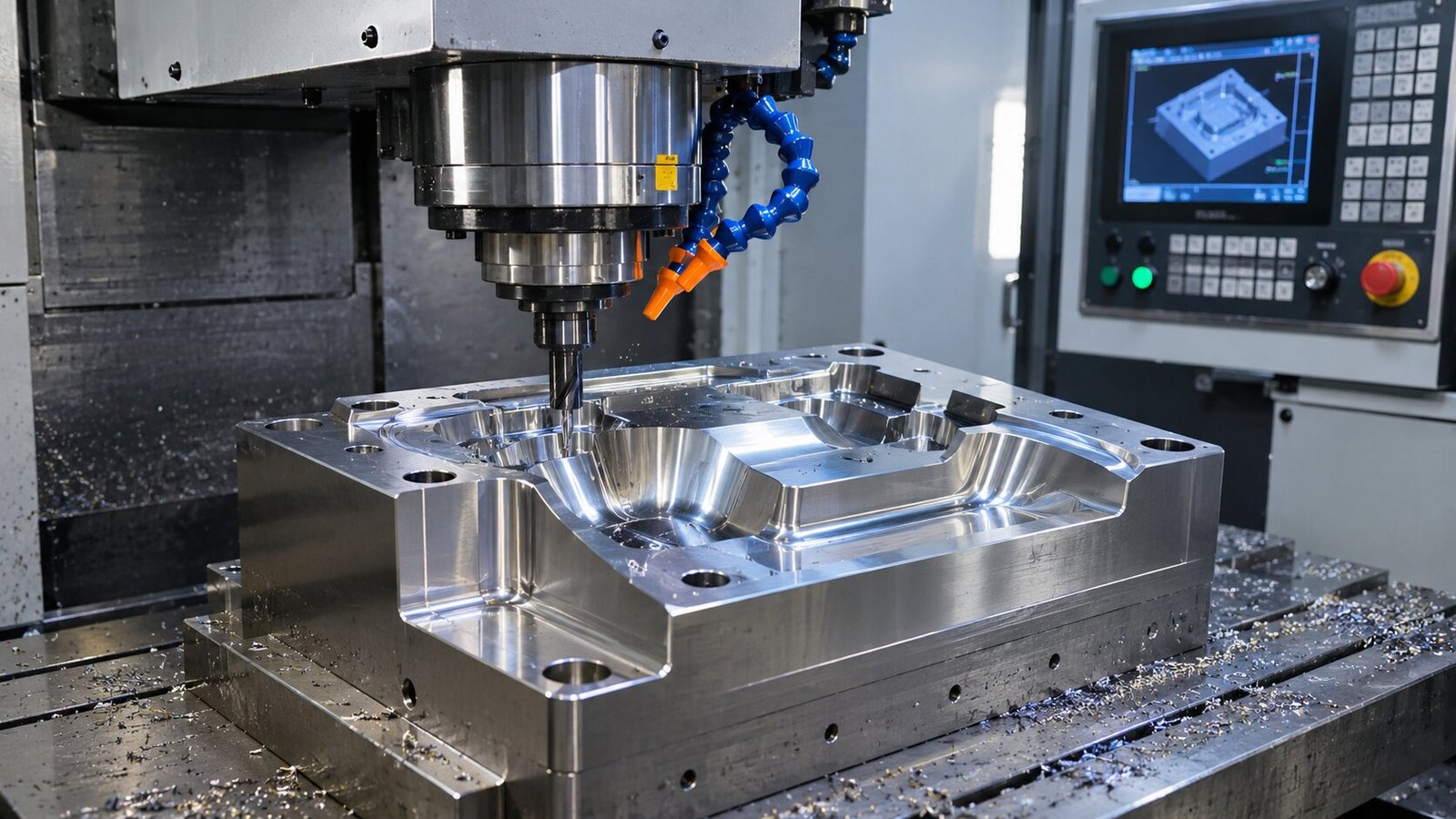
The team must then decide how to make the mold. Common choices include CNC machining, 3D printing, and a mix of both methods.
CNC machining removes material from a solid block. It is often used to make strong and accurate metal molds.
3D printing builds a part layer by layer. It can help create complex shapes and prototype tools. However, not every printed material can handle the heat and pressure of production.
Finish, Inspect, and Test
After the mold is made, workers check its size and surface. Some molds need polishing, coating, or other finishing work.
The team then uses the mold to produce sample parts. These parts are checked for shape, strength, and other required features.
If problems appear, the mold or design may need changes. Testing helps the team decide whether the tool is ready for regular use.
Where Repmold Can Be Useful
Repmold-style workflows can help in many industries. They are most useful when teams need to test designs, replace parts, or manage complex mold shapes.
The benefits depend on the type of product and the production volume. Some projects need fast prototype tools. Others need strong molds that can make thousands of parts.
The following areas show where connected digital tooling methods may help.
Prototype and Low-Volume Production
Prototype production allows companies to test a product before making large numbers of it. Digital design and rapid tooling can support this work.
A company may use a printed mold to make a small batch of sample parts. Engineers can then test the design and make changes.
This approach may reduce the cost of early testing. However, printed molds may wear out faster than metal tools.
Automotive and Composite Tooling
Car makers use molds to produce many parts, including plastic covers, panels, and interior pieces.
Digital tooling can help engineers test new designs. It can also support the production of jigs, fixtures, and tools used with composite materials.
Some tools can be made faster through additive manufacturing. The right method depends on the part size, material, and production needs.
Aerospace and Wind Energy
Aerospace companies often need parts with complex shapes and strict size limits. Digital models help teams plan and inspect these parts.
Large molds are also used to make composite products, such as aircraft parts and wind turbine blades.
Additive manufacturing may help create some of these tools. Still, each tool must meet the required strength, heat, and quality standards.

Replacement and Legacy Parts
Older machines may need parts that are no longer sold. In some cases, the original drawings are also missing.
A team can scan an existing part and create a new digital model. Engineers can then use that model to plan a replacement tool.
This method is called reverse engineering. It can help keep older equipment working, but the new part must be checked for fit and safety.
Customized and Medical Products
Some products need to match a person’s body or meet special size needs. Digital design can help create these custom shapes.
For example, manufacturers may use 3D scans to design molds for certain medical devices, supports, or other fitted products.
Medical manufacturing has strict quality rules. A digital workflow does not remove the need for testing, approved materials, or proper safety checks.
Benefits and Trade-Offs
Repmold-style workflows offer several possible benefits. They can make it easier to share designs, test new ideas, and update tools.
However, these benefits are not guaranteed. The results depend on the machines, materials, skills, and number of parts needed.
| Benefits | Possible Trade-Offs |
|---|---|
| Faster design changes | Digital tools may cost more to set up |
| Easier prototype testing | Some prototype molds have a short life |
| Better use of digital models | Staff need training |
| Support for complex shapes | Some shapes still need extra finishing |
| Easier design records | Files must be checked and managed |
| Less wasted work in some projects | Poor planning can still waste materials |
One key benefit is flexibility. Engineers can update a digital model without starting the whole design from the beginning.
Another benefit is better teamwork. Designers, machine operators, and quality teams can work from the same approved files.
The main challenge is choosing the right tools. A fast and cheap prototype mold may not work for long production runs. Each project needs its own plan.
My Five-Question Repmold Readiness Test
Before using a repmold workflow, a business should check whether it fits the project. A simple review can help avoid poor choices.
These five questions can guide the decision:
- What are we making? Define the part, material, size, and quality needs.
- How many parts do we need? A prototype tool may work for a small batch but not for mass production.
- Do we have a reliable digital design? Check whether the CAD model or scan is accurate.
- Which tooling method fits best? Compare 3D printing, CNC machining, and other options.
- How will we test the mold? Plan checks for size, strength, surface quality, and tool life.
These questions do not replace a full engineering review. They help teams find the main issues before spending money.
A business should also review its budget and staff skills. The best workflow is one that meets the product’s needs without adding needless cost.
Cost, Speed, and Sustainability
The cost of a repmold project depends on many things. These include mold size, design work, materials, machine time, and finishing.
Rapid tooling may lower the cost of making small batches. For example, a printed prototype mold may cost less than a complex steel mold. But a metal mold can be a better choice when many parts are needed.
Speed also varies. 3D printing can reduce the need for some machining steps. Yet printed tools may still need curing, finishing, and testing. A complex design can take longer than expected.
Sustainability is another factor. Digital testing may help teams find problems before making physical tools. Some methods can also reduce material waste. However, machine energy, failed prints, and tool life all affect the final result.
Common Repmold Mistakes
One common mistake is treating repmold as a single technology. It is better understood as a connected group of design and manufacturing methods.
Another mistake is choosing a tool based only on its price. A cheap mold may fail early if it cannot handle the required heat, pressure, or number of parts.
Poor digital models can also cause problems. A 3D scan may contain errors, and a CAD design may miss important details. These problems can lead to parts that do not fit.
Skipping tests is another risk. Even a mold that looks correct may produce weak or damaged parts. Careful inspection and sample testing remain important.
The Future of Repmold
Digital manufacturing tools are likely to play a larger role in mold production. Better software and machines can help teams design, test, and improve tools.
Artificial intelligence may also support some design tasks. For example, software can help engineers review data, find patterns, and compare design options.
New printing materials may allow additive tools to work in more demanding settings. Improved scanners and inspection systems can also make it easier to compare real parts with digital models.
Still, traditional mold-making methods will remain important. CNC machining and standard molding processes are often the best choice for strong, accurate tools used in large production runs. The future is likely to involve using these methods together.
Frequently Asked Questions
Is repmold a real manufacturing technology?
Repmold is not a standard name for one technology. It can describe a workflow that combines digital design, rapid tooling, and mold production.
Is repmold the same as injection molding?
No. Injection molding is a specific production process. Repmold is a broader term for connected design and tooling methods.
Can repmold be used for mass production?
Yes, a digital tooling workflow can support mass production. However, the final mold must be made from materials that can handle the required production volume.
What Materials Are Used in Repmold Projects?
Common tooling materials include steel, aluminum, and certain engineering polymers. The choice depends on heat, pressure, cost, and tool life.
Is Repmold Cheaper Than Traditional Mold Making?
It can be cheaper for some prototypes and small batches. For large production runs, traditional metal molds may offer better value over time.
What to Do Next
Repmold is a useful way to describe how digital tools can support modern mold making. It brings together design, scanning, simulation, tooling, and testing in one planned workflow.
Before starting a project, define the product needs and compare the available methods. Check the cost, tool life, material limits, and quality rules. A good plan can help reduce errors and improve results.
The most important point is that repmold is not a replacement for established molding methods. It is a practical way to connect those methods with digital tools and make the production process easier to manage.
READ: What Does TR Electro Do? A Look at Its Products and Services

Masgonzola Cheese: A Creamy Blend of Two Italian Favorites

Lori Anne Allison: Meet Johnny Depp’s First Wife and Makeup Artist

Urlwo: The Easy Way to Create Short and Branded Links

Who Is Preetha Nooyi? How Is Indra Nooyi’s Daughter Building Her Own Quiet Path in Business?

Freda Morris Biography: The Private Life of Garrett Morris’s Wife

Arrow Eve Reynolds: The Oldest Daughter of Imagine Dragons Frontman Dan Reynolds and Musician Aja Volkman
-
 Celebrity5 months ago
Who Is Preetha Nooyi? How Is Indra Nooyi’s Daughter Building Her Own Quiet Path in Business?
-
 Celebrity3 months ago
Freda Morris Biography: The Private Life of Garrett Morris’s Wife
-
 News2 months ago
Arrow Eve Reynolds: The Oldest Daughter of Imagine Dragons Frontman Dan Reynolds and Musician Aja Volkman
-

 Entertainment4 months ago
Who Is Charlie McKittrick? All About Ana Gasteyer’s Husband and His Life
-

 Business4 months ago
Who Is Vaughn Rasberry? All About Tatyana Ali’s Husband, Stanford Career, Family, and Net Worth
-

 Celebrity4 months ago
Who is Brock Peters’ First Wife? All You Need To Know About Dolores Daniels
-

 Celebrity3 months ago
Arielle Zuckerberg: Meet Mark Zuckerberg’s Youngest Sister, Building Her Own Tech Legacy
-

 Celebrity4 months ago
The Untold Story of Elgin Charles Williams: From Beverly Hills Hair Empire to Jackée Harry’s Ex-Husband