
Games
CCPorted: Free Games Directly in A Web Browser

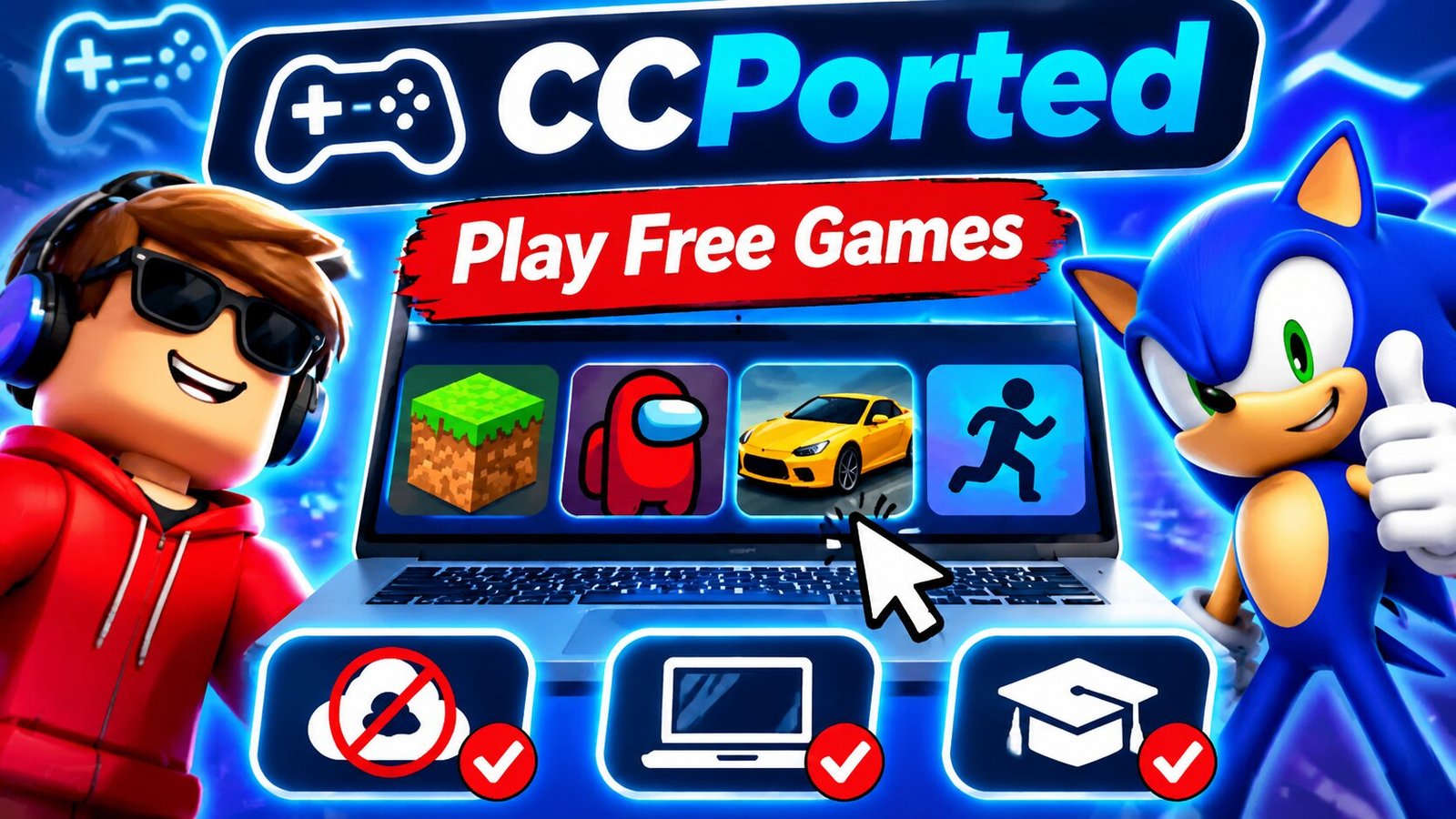
CCPorted is an online gaming platform that offers hundreds of free games directly in a web browser. It is popular with students and casual players who want to enjoy games without downloading or installing extra software. The platform brings together different types of games, including classic titles, arcade games, and modern browser games.
One reason CCPorted attracts attention is its focus on unblocked gaming. Many users look for it when they want to play games on school computers or Chromebooks. Its simple design and large game library make it easy to find something to play. However, access can still depend on school or workplace network rules.
What Is CCPorted?
CCPorted is a web-based gaming network that provides access to a large collection of online games. Users can visit the platform, choose a game, and start playing through their browser. Most games do not require a separate installation.
The platform offers different types of games for people with different interests. Its collection includes modern browser games and older titles from the late 1990s and early 2000s. Players can explore action, racing, puzzle, arcade, and adventure games.
CCPorted is also known for its use on school devices. Many students use Chromebooks, which may have limited storage or restrictions on installing new apps. Browser gaming gives them another way to enjoy simple games without taking up much space on their devices.
How Does CCPorted Work?
CCPorted uses a web-based system to make games available online. Instead of downloading a game to a computer, users open its game page and wait for the content to load.
The platform uses web hosting services and Content Delivery Networks (CDNs). A CDN helps deliver website content through different network locations. This can improve loading times and help users reach the website.
CCPorted also uses different website addresses and backup hosting options. These can help keep parts of the service available when one address has problems. However, this does not mean every version will always work or that every network will allow access.
Main Features of CCPorted
CCPorted offers several features that make it useful for casual gaming. Its main focus is simple access, a large collection, and games that run in a browser.
Large Game Collection
One of the main features of CCPorted is its wide range of games. The platform brings many titles together in one place, so users do not need to visit several websites to find something interesting.
Players can explore different genres and choose games based on their interests. The collection includes both older favorites and newer browser games.
Free Online Gaming
CCPorted presents its games as free to play. Users can visit the platform and explore its available titles without buying each game separately.
This makes it an option for people who want simple entertainment without spending money. However, users should check the current website terms and any game-specific conditions.
No Separate Installation
Many games on CCPorted run directly in a web browser. This means users do not need to install a large game file before playing.
This feature can be helpful on devices with limited storage. It also makes it easier to switch between games during a short break.
Support for Chromebooks
CCPorted is often used on Chromebooks because these devices rely heavily on web-based apps and services.
Players can open the website in a supported browser and select a game. Performance depends on the Chromebook’s hardware, internet connection, and the needs of the selected game.
Classic and Retro Games
CCPorted also focuses on older games from the late 1990s and early 2000s. These titles can bring back memories for people who grew up playing classic computer and arcade games.
New players can also explore older gaming styles. Many classic games have simple controls and clear goals, which makes them easy to understand.
Different Game Categories
The platform offers games from several categories. This gives users more choices and helps them find games that match their mood.
Some players may enjoy fast action, while others may prefer puzzles, racing, or simple arcade challenges.
What Types of Games Are Available on CCPorted?
CCPorted offers a mix of games for different interests. Its library can change as titles are added, removed, or updated.
Action Games
Action games are a good choice for players who enjoy fast gameplay. These games may include battles, missions, obstacles, and quick challenges.
Players often need to react quickly and make good decisions to complete each level.
Racing Games
Racing games let players compete against time or other racers. Some games focus on cars, while others offer different types of vehicles.
The main goal is often to finish a track, avoid obstacles, and improve your score.
Puzzle Games
Puzzle games test thinking and problem-solving skills. Players may need to match items, solve number challenges, or find the right way to complete a level.
These games are often easy to start but can become harder as players move forward.
Arcade Games
Arcade games usually have simple rules and controls. Many focus on collecting points, reaching new levels, or beating a high score.
They are useful for short gaming sessions because players can start and stop quickly.
Adventure Games
Adventure games allow players to explore different places and complete tasks. Some include stories, missions, and challenges that take more time to finish.
They can be a good choice for people who enjoy games with more variety.
Retro Games
Retro games are another part of CCPorted’s appeal. These titles come from an earlier period of video game history.
They often use simple graphics and basic controls. Players who enjoy old-school gaming may find these games especially interesting.
How to Play Games on CCPorted
Getting started with CCPorted is simple. You only need a supported browser and an internet connection.
Follow these basic steps:
- Open a web browser on your computer or Chromebook.
- Visit the CCPorted website.
- Look through the available game collection.
- Choose a game that you want to play.
- Wait for the game to load.
- Read the instructions and check the controls.
- Start playing and follow the on-screen directions.
Some games use the keyboard, while others may use a mouse or touchscreen. The controls depend on the game you choose.
If a game does not load, check your internet connection and refresh the page. You can also try an updated browser.
Can You Use CCPorted on a Chromebook?
Yes, CCPorted is designed for browser-based gaming, so many of its games may work on Chromebooks.
Chromebooks are popular for school and everyday tasks. They can run many simple online games without the need for large downloads.
To get started, open a supported browser and visit the gaming platform. Choose a game and allow it to load.
However, not every game will work on every Chromebook. Older devices may have slow performance, and some games may need more memory or processing power.
School-managed Chromebooks may also have limits set by school administrators. Students should follow their school’s rules when using gaming websites.
Is CCPorted Free to Use?
CCPorted describes itself as a free online gaming network. Its main purpose is to let users play games through a browser without paying for each title.
This makes it useful for people who want quick entertainment without buying a gaming app or installing large files.
However, free access does not always mean that every feature is available without limits. Users should read the website’s current terms before creating an account or using extra services.
Why Is CCPorted Popular Among Students?
CCPorted is often searched for by students who enjoy browser games. Its simple setup makes it easy to use on school computers and personal devices.
Many students use Chromebooks for their schoolwork. Since these devices support browser-based services, online gaming platforms can be convenient during free time.
Another reason for its popularity is the variety of games. Players can move between action, racing, puzzle, and classic games without installing several apps.
Still, students should remember that schools may block gaming websites for a reason. It is best to use these platforms only during approved breaks and when school rules allow it.
Is CCPorted Safe?
CCPorted is a third-party gaming platform, so users should take basic steps to protect their devices and personal information.
Like other online gaming websites, it may use third-party services, advertisements, or cookies. Users should read its privacy policy to understand how their information may be collected and used.
Here are some simple safety tips:
- Do not share personal details on unknown pages.
- Avoid downloading files from suspicious websites.
- Do not click on strange pop-ups or advertisements.
- Keep your browser updated.
- Use a strong password if you create an account.
- Check website permissions before allowing access to your device.
- Follow school and workplace internet rules.
Younger players should also use online gaming platforms with suitable parental guidance.
Does CCPorted Work on All Devices?
CCPorted is made for browser access, which means it may work on different devices.
Users can try it on desktop computers, laptops, and supported Chromebooks. Some games may also work on mobile phones and tablets.
However, the experience can change from one device to another. A game that works well on a computer may have different controls on a phone.
Internet speed also matters. A slow connection can make games take longer to load or cause interruptions.
For the best experience, use an updated browser and a stable internet connection.
Common Problems With CCPorted
Sometimes, users may have trouble opening the website or loading a game. These problems can happen for different reasons.
A slow internet connection may stop a game from loading. An outdated browser can also cause errors or poor performance.
Some games may no longer work because their files or hosting pages have changed. In other cases, a school or workplace network may block access to the website.
You can try these simple steps:
- Check your internet connection.
- Refresh the game page.
- Update your web browser.
- Close extra browser tabs.
- Restart your device if needed.
- Try another supported browser.
If the website is blocked by your school or workplace, follow its access rules instead of trying to get around the restriction.
CCPorted vs. Other Online Gaming Platforms
Many websites offer free games that run in a browser. However, their game collections and features can be different.
CCPorted focuses on a mix of classic and modern titles. This makes it interesting for users who enjoy both older games and newer browser experiences.
Some other platforms may focus more on puzzle games, action games, or simple arcade titles. The right choice depends on what you want to play.
Before using any gaming website, check its safety, privacy policy, and available game options.
Final Thoughts
CCPorted is an online gaming network that brings hundreds of free games together in one place. Its browser-based design makes it easy to use on computers and many Chromebooks without installing separate game files.
The platform offers a mix of modern games and classic titles from the late 1990s and early 2000s. Players can explore different genres and enjoy simple gaming sessions.
However, access and performance may vary by device and network. Users should also be careful with personal information and follow school or workplace rules. Overall, CCPorted offers a simple way to explore browser games in one place.
FAQs
What is CCPorted?
CCPorted is an online gaming network that offers hundreds of free browser-based games, including modern titles and classic games.
Is CCPorted free?
Yes, CCPorted presents itself as a free gaming platform where users can play available games through a web browser.
Can I play CCPorted on a Chromebook?
Yes, many CCPorted games may work on Chromebooks through a supported browser, depending on the device and network settings.
Does CCPorted require downloads?
Most games are designed to run in a browser, so users do not need to install a separate game application.
Is CCPorted safe for students?
Students should use caution, avoid sharing personal details, and follow school internet rules when visiting third-party gaming websites.
Read more: Snow Rider 3D Unblocked: How to Unlock Sleds

GeekExtreme is a technology and geek culture website founded in 2000 by Oliver DeLeon. It covers video games, gadgets, software, computer hardware, and entertainment. The site also shares helpful guides about new tech, online tools, and DIY projects.
Based in Nashua, New Hampshire, GeekExtreme has been online for more than 25 years. It also covers cosplay, science fiction, movies, and internet trends. In 2026, the website continues to publish articles and offers free daily browser games.
What Is GeekExtreme?
GeekExtreme is an independent website about technology, gaming, and geek culture. It helps readers learn about new devices, software, video games, and online trends.
The website shares news, reviews, and guides on many topics. Readers can learn about computer parts, gaming tools, mobile devices, and new technology. It also covers movies, comics, and popular entertainment.
GeekExtreme is not limited to tech news. It also covers business, lifestyle, finance, and other topics. This gives readers a mix of useful guides and fun content in one place.
Who Founded GeekExtreme?
Oliver DeLeon founded GeekExtreme in 2000. He started the website because he enjoyed technology, gaming, and geek culture. He wanted to share his interests with people who liked the same things.
In a May 2024 interview with Geek Mamas, Oliver spoke about his love for games and science fiction. He said he had enjoyed fantasy books and video games since childhood.
Oliver named The Legend of Zelda: Ocarina of Time as his favorite game of all time. At the time of the interview, he was playing Baldur’s Gate 3. He also spoke about his love for Star Wars, Star Trek, and The Lord of the Rings.
He enjoys cosplay and has dressed as Commander Shepard from the Mass Effect game series. Oliver also likes San Diego Comic-Con and Marvel films.
History of GeekExtreme: Since 2000
GeekExtreme began in 2000 as Oliver Deleon’s personal project. Its main goal was to share news and ideas about technology and geek culture.
At that time, the internet was still growing. Blogs gave people a way to share their interests without working for large media companies. GeekExtreme became part of this early online culture.
Over the years, the website added more subjects. It began covering a wider range of games, devices, software, and entertainment news.
By 2026, GeekExtreme had been online for about 26 years. It had grown from a personal blog into a website with many content sections.
What Topics Does GeekExtreme Cover?
GeekExtreme covers a wide range of subjects. Its main topics are technology, gaming, gadgets, software, and geek culture.
The website shares guides about computer hardware, online tools, gaming devices, and new tech products. Some articles help readers solve problems or choose useful products.
GeekExtreme also explores science fiction, movies, TV shows, and cosplay. These topics bring gaming fans and technology readers to the same website.
Other sections cover business, lifestyle, fashion, and finance. Readers can explore these subjects through news articles, guides, and simple explainers.
GeekExtreme Gaming News and Guides
Gaming is one of the main topics on GeekExtreme. The website covers video games, gaming devices, and changes in the gaming industry.
Readers can find articles about PC games, console games, and popular gaming trends. The site also discusses game stories, characters, and features.
Some guides explain how gaming tools work. Others help readers understand new updates, gaming technology, and common problems.
The website also explores how artificial intelligence may change gaming. In his 2024 interview, Oliver Deleon said he was working on articles about AI and its role in the gaming industry.
Technology, Gadgets, and Software Reviews
GeekExtreme publishes articles about technology and digital products. Its coverage includes computers, smart devices, software, and online services.
The website explains how different tools work. Some guides help readers choose devices, while others focus on product features and common issues.
GeekExtreme also covers new software and artificial intelligence. Its articles discuss AI tools, online privacy, and the safe use of digital services.
In November 2026, the website published articles about ChatGPT account deletion, Grok AI safety concerns, and virtual reality video viewing.
These examples show how GeekExtreme covers both new technology and everyday tech problems.
GeekExtreme’s DIY Projects and Creative Tools
GeekExtreme also covers tools used for home projects and creative work. These include 3D printers, laser engravers, drones, and workshop devices.
Some articles explain how these machines work. Others look at software used to plan designs and control equipment.
LightBurn is one example of the software covered by the website. It helps users prepare designs for laser cutting and engraving.
GeekExtreme also explores the cost of making custom items. This can include materials, work time, and possible selling prices.
These guides may help hobbyists understand what they need before starting a project.
Geek Culture, Cosplay, and Entertainment
Geek culture is an important part of GeekExtreme. The website covers science fiction, fantasy, comics, movies, and TV shows.
Cosplay is another major topic. It involves dressing as characters from video games, films, comics, and other stories.
GeekExtreme shares articles about cosplay creators, costumes, and fan events. In November 2026, it published an article about famous cosplayers to follow.
The website also discusses conventions where fans meet, wear costumes, and celebrate their favorite stories.
Oliver Deleon has a personal interest in cosplay. In his 2024 interview, he said his most memorable costume was Commander Shepard from Mass Effect.
Free Daily Games on GeekExtreme
GeekExtreme offers free daily games that readers can play in a web browser. These games add an interactive feature to the website.
The daily game section includes titles such as Defrag, Cheat Code, Level Up, and Time Warp.
Each game gives players a different challenge. Some involve words, while others test memory or knowledge.
The website also has daily and weekly scoreboards. These let players compare their results with others.
This gaming section gives visitors something to do beyond reading articles. It also fits the website’s focus on gaming and geek culture.
GeekExtreme’s Community and Social Media Presence
GeekExtreme has a presence on social media. It uses these platforms to share content and connect with people interested in technology and geek culture.
The website has a Facebook page called Geek Extreme. It has also been linked to an online cosplay community.
These communities bring together people who enjoy games, costumes, science fiction, and entertainment.
GeekExtreme’s founder has also taken part in interviews with other geek culture websites. His May 2024 interview with Geek Mamas covered his interests, gaming habits, and reasons for starting the site.
Exact social media group sizes can change over time. Current membership numbers have not been firmly verified.
Editorial Standards and Advertising
GeekExtreme publishes news, reviews, guides, and other online content. Its official About page explains how the website aims to create useful articles.
The site says its product reviews consider features such as performance, ease of use, and value. It also says its news articles use outside sources and credit original reports.
These are the website’s stated editorial goals. Readers should still check important facts before using them in personal or business decisions.
GeekExtreme also accepts some advertising and sponsored content. Its contact page says it welcomes relevant business partnerships and strong article ideas from writers.
The website is not always looking for new writers. People who want to contribute should check its latest contact and submission details.
Conclusion
GeekExtreme is an independent technology and geek culture website founded by Oliver Deleon in 2000. It covers gaming, gadgets, computer hardware, software, cosplay, and entertainment.
The site also shares DIY guides, technology explainers, and free daily browser games. Its content brings together practical tech topics and popular geek interests.
As of 2026, GeekExtreme remains active after more than 25 years online. Readers can visit the website for gaming news, software guides, technology articles, and geek culture content.
NEXT: How to Play Solitaire? Easy Rules, Setup, Tips, and Winning Strategies
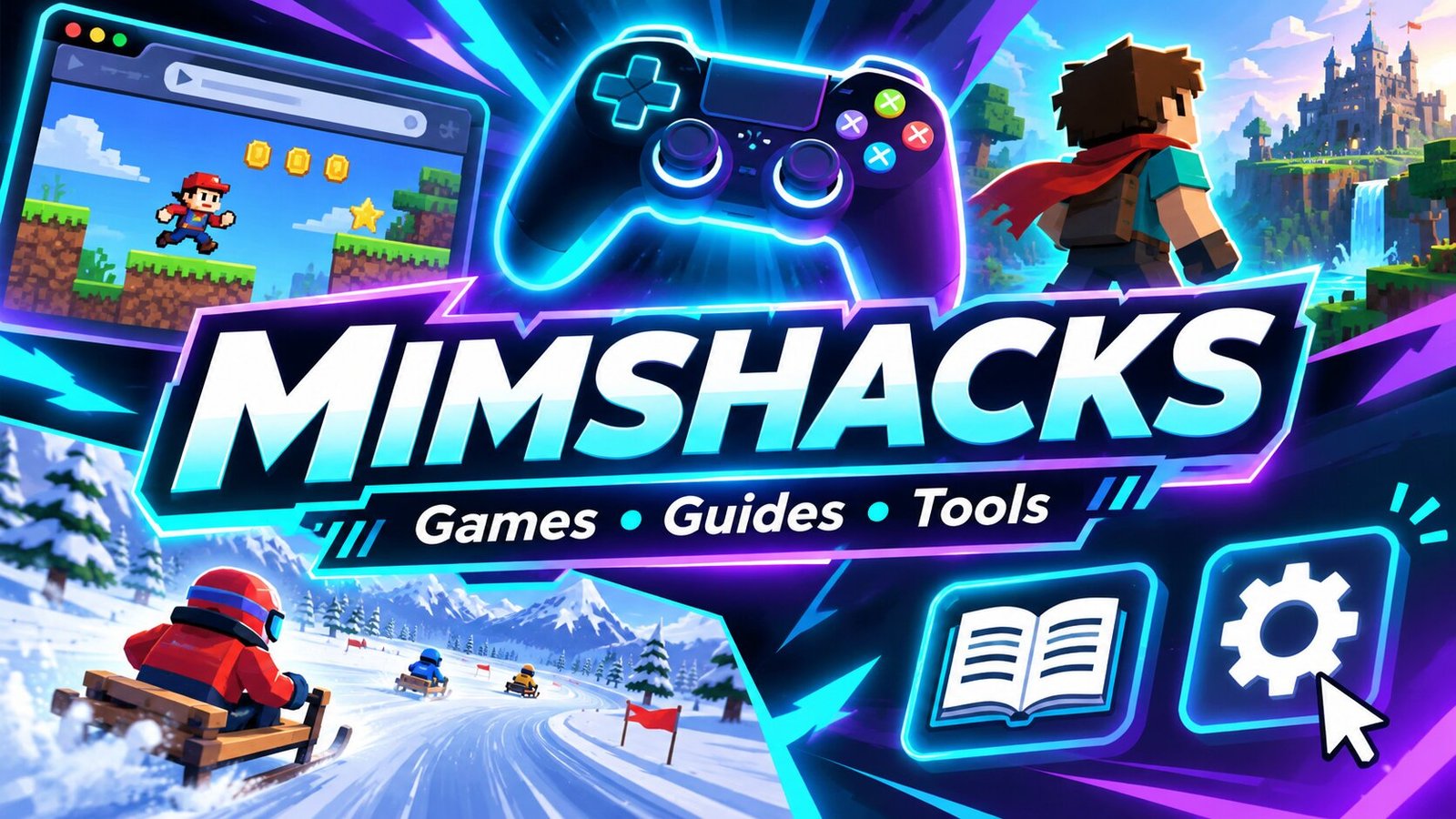
Mimshacks is an online gaming website that shares Roblox guides, browser games, and gaming tools. Players can find game codes, tips, and useful resources in one place. The site also covers popular games like Snow Rider 3D, Wheely, and Spelunky.
The name Mimshacks has also been linked to digital services and a creative studio in Mauritius. However, the link between these businesses is not clear. Here is what is known about the website, its features, history, and safety.
What Is Mimshacks?
Mimshacks is a website that shares gaming guides, tools, and online games. It helps players find useful details about Roblox games and other popular titles. Users can read tips, check game codes, and learn about gaming settings.
The site covers many types of games. These include racing games, puzzle games, and online adventure games. It also shares links to game communities and other resources.
Mimshacks is not one single game. It works as a gaming resource website. Some games listed on the site were made by other developers. This means Mimshacks should not be seen as the creator of every game it features.
The History and Background of Mimshacks
Mimshacks has been linked to different online projects over time. These include gaming content, digital services, and creative work. However, there is little clear public information about when the gaming website first started.
According to reports, Mimshacks.com was once linked to an online dropshipping business. It was later used as a gaming website. One report also claimed that the site was sold through Flippa for $4,500. This sale has not been confirmed through an official record.
By 2026, Mimshacks is mainly known for its gaming content. The website covers Roblox guides, browser games, and gaming tools. Its current owner and full business history are not publicly confirmed.
Main Features of the Mimshacks Gaming Website
Mimshacks offers several types of gaming content. Players can visit the site to find guides, game codes, and tips. It also covers games that can run in a web browser.
One key feature is its Roblox content. The site shares details about rewards, game updates, and community links. These resources may help players learn more about the games they enjoy.
The website also covers gaming tools. These include mouse sensitivity guides and eDPI calculators. Such tools can help players understand and change their game settings.
Mimshacks brings these topics together on one site. Users can move between game guides, browser game pages, and gaming tips without needing a separate website for each topic.
Mimshacks Roblox Guides and Game Codes
Roblox is one of the main gaming topics covered by Mimshacks. The website shares guides for different Roblox experiences. These include Cursed Sea, Grimoires Era, A One Piece Game, and Grand Piece Online.
Many Roblox games use codes that give players free rewards. These may include coins, boosts, or other in-game items. Mimshacks publishes code guides to help players find these rewards.
The site also covers Trello boards and Discord communities. A Trello board may show game items, maps, and updates. Discord groups let players talk, share tips, and follow news about their favorite games.
However, Mimshacks is not an official Roblox website. Players should check game developers’ pages before using codes or joining outside groups. Some codes may expire or stop working after an update.
Browser Games Available on Mimshacks
Mimshacks also features browser-based games. These are games that users may be able to play without installing large files. The site covers titles such as Snow Rider 3D, Wheely, Spelunky, Slither.io, and Google Feud.
Snow Rider 3D is a winter game where players ride a sled down a snowy path. They must avoid trees, rocks, and other objects. The goal is to travel as far as possible without crashing.
Wheely is a puzzle game about a small red car. Players must solve simple tasks to help the car reach the next stage. Slither.io is an online game where players control a snake and collect food to grow longer.
Some games on Mimshacks are described as unblocked games. This means they may work on networks that limit access to certain gaming sites. However, access depends on the network rules and the device being used.
Mimshacks Snow Rider 3D Explained
Mimshacks Snow Rider 3D is a name linked to the popular browser game Snow Rider 3D. The game takes place on a snowy path with trees, rocks, and other objects that players must avoid.
The controls are simple. Players move their sled left or right to stay on the path. They may also need to jump over objects. As the game continues, staying safe becomes harder.
The game uses a winter setting and fast movement to keep players engaged. It does not need a long story or complex rules. Players can start a run and try to beat their last score.
Although Mimshacks features Snow Rider 3D content, there is no clear proof that it made the original game. It is more accurate to describe Mimshacks as a website that features or covers the title.
Gaming Tools and Sensitivity Calculators
Mimshacks also covers tools that help players change their gaming settings. One example is the eDPI calculator. This tool is useful in games where mouse movement plays an important role.
eDPI stands for effective dots per inch. It is found by multiplying mouse DPI by the sensitivity used in a game. For example, a mouse set to 800 DPI with a game sensitivity of 0.5 has an eDPI of 400.
Players use eDPI to compare their settings with other players who use the same game. It can help them find a mouse speed that feels more comfortable.
Mimshacks also shares information about sensitivity settings in games such as Valorant and Counter-Strike. However, the same eDPI number may not feel the same across different games. Each game can use its own sensitivity system.
How to Use Mimshacks
Using Mimshacks is simple. Visitors can open the website in a browser and look for the gaming topic they need. They can then read guides or visit pages about specific games.
Roblox players may search for game codes, Trello boards, or Discord links. Other users may look for browser games or tips about mouse settings. The content depends on what is available on the website.
Some games may load in the browser, while others may send users to a different website. Not every game will work on every phone, tablet, or computer.
Visitors should also check where outside links lead before opening them. If a page asks for a Roblox password or other private details, it is safer to leave the page.
Is Mimshacks Free and Safe to Use?
Mimshacks offers public gaming articles and guides that visitors can read without paying. However, this does not mean every game or outside service linked from the site is free.
The website covers games and tools that may interest younger players. Still, users should be careful when opening outside links or visiting unfamiliar gaming pages.
Mimshacks is not an official Roblox service. Players should never share their Roblox password, login codes, or private account details through an unknown website.
There is also no clear independent proof that every page and outside link on Mimshacks is safe. Parents may want to review the content before younger children use the site.
Mimshack Studios and Its Digital Services
Mimshack Studios is a creative business listed in Chamouny, Mauritius. Its public LinkedIn profile describes work in photography, video production, editing, advertising, and branding.
According to the profile, the studio was founded in 2020. It is listed as a privately held business with 2 to 10 employees. These details come from the company’s own public profile.
The Mimshack name has also appeared in reports about chatbot services. These services may include automatic customer replies and Messenger tools for online businesses.
However, it is not clear whether these chatbot services are still active in 2026. There is also no confirmed link showing that Mimshacks Studio and the gaming website have the same owner.
Who Owns Mimshacks?
The current owner of Mimshacks.com has not been clearly named in reliable public records reviewed for this article. The website is linked to gaming guides and online tools, but its ownership details remain limited.
One published report connected the site’s past to Avinesh Bundhoo. The report also claimed that Mimshacks.com was sold through Flippa for $4,500. These details have not been confirmed through the original sale record.
Mimshacks Studios has a separate public business profile in Mauritius. However, sharing the same name does not prove that the studio owns the gaming website.
As of 2026, there is not enough verified information to name a current owner or explain the full business structure behind Mimshacks.com.
Final Thoughts
Mimshacks is a gaming resource website that covers Roblox guides, browser games, and useful gaming tools. Players can find game codes, tips, community resources, and information about popular titles such as Snow Rider 3D.
The website also covers mouse settings and sensitivity tools for players who want to improve their controls. While the Mimshacks name has been linked to creative and digital services, those business links are not fully confirmed.
In 2026, Mimshacks is best described as a gaming website that brings different types of game content together in one place.
NEXT: Levidia: All About Third-Party Movie and TV Streaming Website
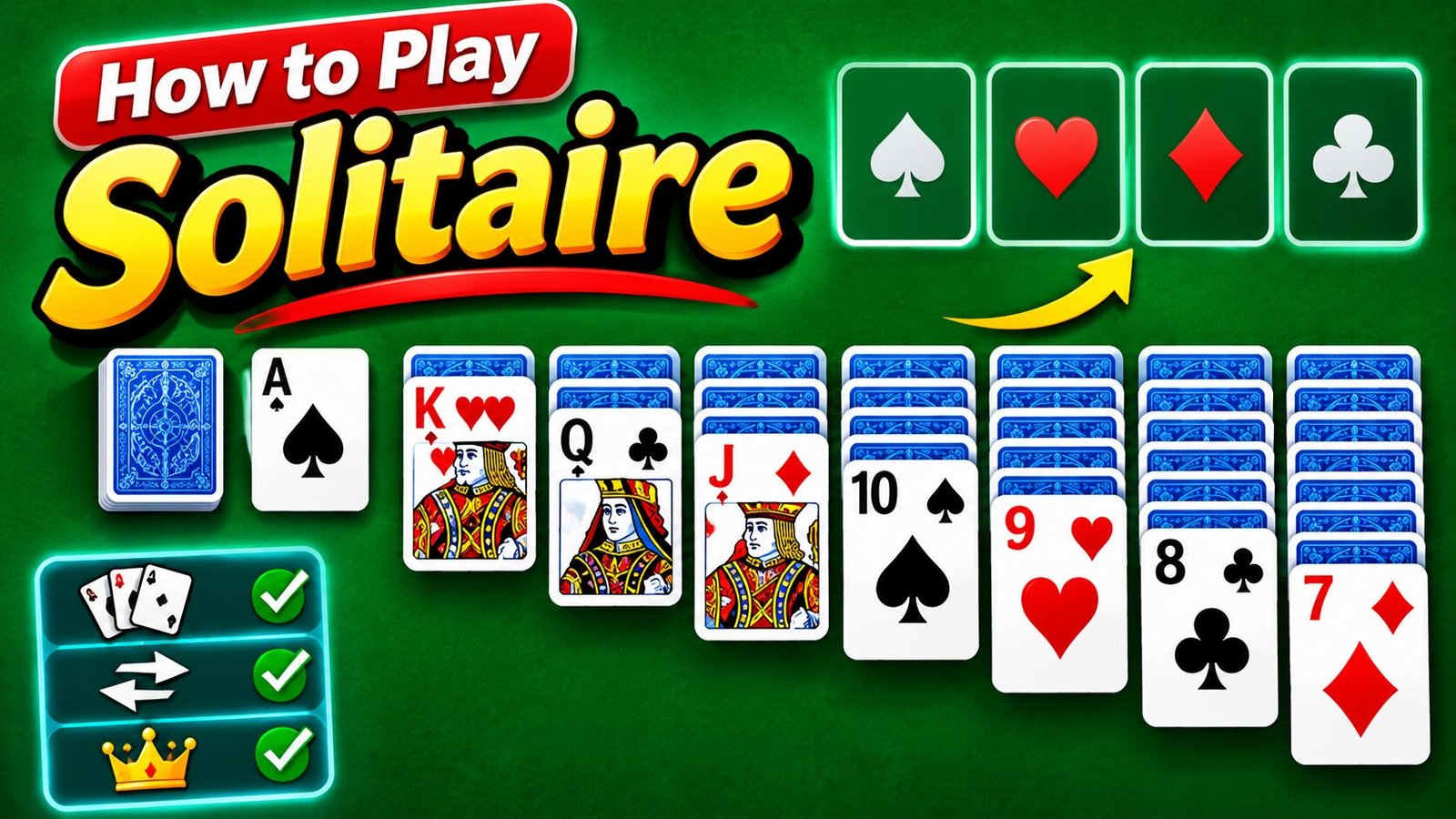
Solitaire is one of the most popular card games in the world. It is a simple game that you can play alone using a standard deck of 52 playing cards. The goal is to arrange all the cards into four piles, with each pile following one suit from Ace to King. The game is also known as Klondike Solitaire, which is one of its most popular versions.
You do not need another player to enjoy Solitaire. You only need a deck of cards, a little space, and some patience. You can also play it online using a computer, tablet, or mobile phone. This guide explains how to set up Solitaire, understand its rules, move cards, and use simple strategies to win.
What Is Solitaire?
Solitaire is a single-player card game that tests your thinking, planning, and patience. It uses a standard deck of 52 cards, including four suits: Hearts, Diamonds, Clubs, and Spades.
Each suit has 13 cards. These include an Ace, numbers 2 through 10, and three face cards: Jack, Queen, and King.
The main goal is to move all 52 cards into four Foundation piles. Each pile must contain cards from the same suit in the correct order, starting with an Ace and ending with a King.
For example, the Hearts Foundation must follow this order:
Ace of Hearts, 2 of Hearts, 3 of Hearts, 4 of Hearts, and so on until King of Hearts.
You can play Solitaire with physical cards or on a digital device. The basic rules remain the same in most classic versions.
What You Need to Play Solitaire
You only need a few things to start a game of classic Solitaire.
- One standard deck of 52 playing cards.
- A flat table or another clear playing surface.
- Enough space for seven card columns.
- A little time and patience.
Remove the Jokers from your deck before starting. Classic Klondike Solitaire does not use them.
You can also play without physical cards. Many websites and mobile apps offer digital versions where the game deals the cards and handles the moves for you.
How to Set Up Solitaire
Setting up Solitaire is easy once you understand the seven columns. The playing area has three main sections: the Tableau, the Stock and Waste piles, and the Foundations.
Step 1: Create the Seven Tableau Columns
The Tableau is the main playing area. It contains seven columns of cards.
Start dealing cards from left to right.
- Column 1: Deal one face-up card.
- Column 2: Deal one face-down card and one face-up card.
- Column 3: Deal two face-down cards and one face-up card.
- Column 4: Deal three face-down cards and one face-up card.
- Column 5: Deal four face-down cards and one face-up card.
- Column 6: Deal five face-down cards and one face-up card.
- Column 7: Deal six face-down cards and one face-up card.
Each column should have only one face-up card at the top.
You will have 28 cards on the table. The remaining 24 cards become your Stock pile.
Step 2: Create the Stock Pile
Place the remaining 24 cards face down in a separate pile. This is called the Stock pile.
You will draw cards from this pile when you cannot make useful moves with the cards already on the table.
Depending on the version, you may draw one card or three cards at a time.
Step 3: Leave Space for the Waste Pile
Place an empty space next to the Stock pile. This is where you will put the cards you draw.
This area is called the Waste pile.
The top face-up card in the Waste pile can be used if it follows the rules of the game.
Step 4: Leave Space for the Four Foundations
At the top of the playing area, leave four empty spaces.
These are your Foundation piles. Each pile will hold one suit.
You must build each Foundation from Ace to King.
Your Solitaire setup is now complete.
Understanding the Main Rules of Solitaire
Before making your first move, you should understand how cards can move. Solitaire follows a few simple rules.
Rule 1: Move Cards in Descending Order
You can move a face-up card onto another face-up card if it is one rank lower.
For example:
- A 6 can go on a 7.
- A 9 can go on a 10.
- A Queen can go on a King.
- A Jack can go on a Queen.
You cannot place a 6 on a 5 or a Queen on a Jack.
Rule 2: Alternate Red and Black Colors
Cards in the Tableau must also follow an alternating color pattern.
Red cards include Hearts and Diamonds. Black cards include Clubs and Spades.
For example:
- A red 6 can go on a black 7.
- A black 5 can go on a red 6.
- A red Queen can go on a black King.
You cannot place a red card on another red card or a black card on another black card.
Rule 3: Move Cards in Groups
You do not always need to move cards one at a time.
If you have a face-up sequence in the correct order, you can move the entire group to another column.
For example, a sequence of red 6, black 5, and red 4 can move together onto a black 7.
This rule helps you move cards and uncover hidden cards more quickly.
Rule 4: Flip Hidden Cards
When you move the top face-up card from a column and uncover a face-down card, turn that hidden card face up.
You can now use it in your next moves.
Revealing hidden cards is one of the most important parts of Solitaire. It gives you more choices and helps you find cards needed to complete your piles.
Rule 5: Only Kings Can Fill Empty Columns
If you move every card out of a Tableau column, you create an empty space.
You can only place a King in this space. You can also move a complete sequence that starts with a King.
No other card can begin a new column.
How to Build the Foundation Piles
The Foundations are where you place cards in their final order.
Each Foundation belongs to one suit. You must start each pile with an Ace.
Follow this order:
- Place the Ace in an empty Foundation space.
- Add the 2 of the same suit.
- Add the 3 of that suit.
- Continue in numerical order.
- Finish with the King.
For example, the Spades Foundation must contain the Ace, 2, 3, 4, and all the remaining Spades cards up to the King.
You cannot mix suits in one Foundation pile.
The goal is to complete all four Foundations with 13 cards each.
How to Use the Stock and Waste Piles
The Stock pile helps you find cards that may not be available in the seven Tableau columns.
When you cannot make a useful move, draw cards from the Stock pile.
There are two common ways to play.
Draw-1 Solitaire
In Draw-1 Solitaire, you turn over one card from the Stock pile at a time.
The card moves to the Waste pile. If it can be placed in a Tableau column or Foundation pile, you can use it.
If it cannot be played, leave it in the Waste pile and draw another card.
This version is easier because every card becomes available one at a time.
Draw-3 Solitaire
In Draw-3 Solitaire, you turn over three cards at once.
Only the top card of the three is available to play. If you move that card, the next card becomes available.
This version is more challenging because some useful cards may remain hidden under other cards.
What Happens When the Stock Pile Is Empty?
When you reach the end of the Stock pile, you can usually turn the Waste pile over and use it again.
The cards return to the Stock pile in the same order, depending on the game’s rules.
Some versions allow unlimited passes through the Stock pile. Others limit the number of times you can go through it.
How to Play Solitaire: A Step-by-Step Guide
Now that you understand the setup and rules, you can start playing.
Step 1: Check All Seven Columns
Look at the face-up cards in the Tableau.
Check whether any card can move onto another column. Remember to follow the descending order and alternating color rule.
For example, if you have a red 8 and a black 9, you can move the red 8 onto the black 9.
Step 2: Look for Aces
If you find an Ace, move it to an empty Foundation space.
Aces are the starting cards for all four Foundation piles.
You should place them as soon as they become available.
Step 3: Reveal Hidden Cards
Try to move cards that uncover face-down cards.
This is especially important in columns with many hidden cards.
The more cards you reveal, the more moves you may have available.
Step 4: Move Cards Between Columns
Build sequences by placing lower cards of the opposite color on higher cards.
You can move one card or an entire face-up sequence.
Keep checking the columns for new opportunities.
Step 5: Draw From the Stock Pile
If you cannot make a useful move, draw cards from the Stock pile.
Check the Waste pile for cards that can help you build a sequence or complete a Foundation.
Step 6: Use Empty Columns Carefully
If a column becomes empty, look for a King that can fill the space.
An empty column can be very useful because it gives you room to move other cards.
Step 7: Complete All Four Foundations
Continue moving cards until all four suits are arranged from Ace to King.
When all 52 cards are in the Foundation piles, you have won the game.
The Best Solitaire Strategies for Beginners
Solitaire is easy to learn, but winning takes planning. These simple tips can help you make better moves.
Focus on Revealing Hidden Cards
Your first goal should be to uncover face-down cards.
Try to move cards from columns with more hidden cards. This gives you a better chance of finding useful cards.
Do not focus only on making easy moves. Think about which move will give you more choices later.
Move Aces and Twos to the Foundations
Aces and Twos are usually safe to move to the Foundation piles as soon as they become available.
However, be careful with higher cards.
You may need some low cards in the Tableau to build other sequences.
Do Not Empty a Column Without a King
An empty column can help you move cards around.
However, you cannot use it unless you have a King or a sequence starting with a King.
Think before clearing a column. Make sure the move will help your game.
Check the Waste Pile Before Drawing Again
Before turning over more cards, look carefully at the Waste pile.
You may already have a card that can help you make a move.
This simple habit can prevent you from missing useful cards.
Plan Your Moves
Try to think one or two moves ahead.
For example, before moving a red 5 onto a black 6, check whether that move will uncover a card or block another useful move.
Good planning can help you avoid unnecessary problems.
Do Not Rush to Finish the Foundations
Moving cards to the Foundations is the main goal, but some cards are more useful in the Tableau.
For example, a low card may be needed to build a sequence and uncover hidden cards.
Keep useful cards on the board when moving them would limit your options.
How to Win Solitaire
You win classic Solitaire when all 52 cards are placed into the four Foundation piles.
Each Foundation must contain one complete suit in this order:
- Ace, 2, 3,…, 10, Jack, Queen, and King
Once all four suits are complete, the game is over, and you have won.
However, not every Solitaire game can be won. Some card arrangements do not provide a possible path to victory.
If you cannot make any more legal moves, you may have to start a new game.
Common Solitaire Mistakes to Avoid
Beginners often make small mistakes that can make the game harder.
Here are some common problems to avoid:
- Ignoring hidden cards: Focus on uncovering face-down cards instead of making random moves.
- Moving every card to the Foundations: Some cards are more useful in the Tableau.
- Emptying columns too early: Make sure you have a King ready before clearing a column.
- Forgetting alternating colors: Always check the color and rank before moving a card.
- Ignoring the Waste pile: A useful card may already be available there.
- Drawing without checking the board: Look for possible moves before using the Stock pile.
Learning from these mistakes can improve your game over time.
What Is the Difference Between Draw-1 and Draw-3 Solitaire?
Both versions use the same basic rules, but they offer different levels of difficulty.
| Feature | Draw-1 Solitaire | Draw-3 Solitaire |
|---|---|---|
| Cards drawn | One at a time | Three at a time |
| Difficulty | Easier | More challenging |
| Available card | The card you draw | Only the top card of the three |
| Planning | Less complex | Requires more planning |
| Best for | Beginners | Experienced players |
Draw-1 is a good place to start if you are new to Solitaire. Once you understand the rules, you can try Draw-3 for a greater challenge.
Can You Play Solitaire Online?
Yes, you can play Solitaire online without using a physical deck of cards.
Many websites and mobile apps offer free versions of the game.
Online Solitaire usually follows the same rules as the traditional card game. The main difference is that the computer handles the card dealing and movement.
Most digital versions also include helpful features such as:
- Automatic card dealing.
- Undo buttons.
- Hints for possible moves.
- Timers and score tracking.
- Different card designs and backgrounds.
- Draw-1 and Draw-3 options.
You can play on a desktop computer, laptop, tablet, or smartphone.
Why Do People Enjoy Playing Solitaire?
Solitaire remains popular because it is simple, relaxing, and easy to learn.
You do not need a partner or special equipment. You can play a quick game whenever you have free time.
The game also encourages players to think carefully. Every move can change the cards available for the next step.
Some people enjoy Solitaire as a way to relax, while others like the challenge of trying to win with fewer moves or a better score.
It is also a good game for people who enjoy puzzles and card games.
Final Thoughts
Solitaire is a simple card game that anyone can learn with a little practice. The main goal is to arrange all 52 cards into four Foundation piles, following each suit from Ace to King.
Start by setting up the seven Tableau columns. Then move cards in descending order while alternating red and black colors. Reveal hidden cards, use the Stock pile, and place Kings in empty columns.
If you are a beginner, start with Draw-1 Solitaire and learn the basic moves. Once you feel confident, try Draw-3 and use better strategies to improve your chances of winning.

Ecryptobit.com Wallets Explained: How Crypto Storage Works

Ecryptobit.com Tokens: A Beginner’s Guide to Digital Assets

Is Ecryptobit.com Legit? What to Know Before Using It

Who Is Preetha Nooyi? How Is Indra Nooyi’s Daughter Building Her Own Quiet Path in Business?

Freda Morris Biography: The Private Life of Garrett Morris’s Wife

Arrow Eve Reynolds: The Oldest Daughter of Imagine Dragons Frontman Dan Reynolds and Musician Aja Volkman
-
 Celebrity5 months ago
Who Is Preetha Nooyi? How Is Indra Nooyi’s Daughter Building Her Own Quiet Path in Business?
-
 Celebrity3 months ago
Freda Morris Biography: The Private Life of Garrett Morris’s Wife
-
 News2 months ago
Arrow Eve Reynolds: The Oldest Daughter of Imagine Dragons Frontman Dan Reynolds and Musician Aja Volkman
-

 Entertainment4 months ago
Who Is Charlie McKittrick? All About Ana Gasteyer’s Husband and His Life
-

 Business4 months ago
Who Is Vaughn Rasberry? All About Tatyana Ali’s Husband, Stanford Career, Family, and Net Worth
-

 Celebrity5 months ago
Who is Brock Peters’ First Wife? All You Need To Know About Dolores Daniels
-

 Celebrity3 months ago
Arielle Zuckerberg: Meet Mark Zuckerberg’s Youngest Sister, Building Her Own Tech Legacy
-

 Celebrity5 months ago
The Untold Story of Elgin Charles Williams: From Beverly Hills Hair Empire to Jackée Harry’s Ex-Husband